
Automatic backup of your entire computer.
Zinstall FullBack is a fully automatic backup of your entire computer.
It covers everything you have. Not just files and pictures – your programs, software settings, accounts, emails are all protected.
Your backup is always up to date, does not slow down your computer, and won’t bother you with questions or technical configurations.
It auto backs up everything you have, and keeps you safe from accidentally deleted files, computer crashes, and ransomware virus attacks.
Install it in 5 minutes, forget about it, and you’ll thank yourself when time comes.
“Will recover everything – programs, settings and files – to your new PC.”

“Simple and user friendly, extremely efficient.”

“Saved my pictures from a ransom virus.”


Everything you have, anywhere you want.
It’s not just your files: your programs, settings, files, emails and accounts are all automatically protected and available for recovery right away.
You can keep your backup anywhere: on a USB external hard drive, on a network drive, on Cloud storage such as Dropbox, OneDrive or Amazon, or even on your computer itself.
Stay safe from Ransomware virus attacks.
Your data is automatically protected from ransomware virus attacks. Even if your computer is compromised or encrypted, your backup stays safe and you can restore everything.

No need to do anything.
You don’t have to be a technical guru to use FullBack.
You just install it, and it will do the rest, automatically – no questions asked.
Of course, if you prefer, you can also get under the hood and configure it in any way you want.

No slowdown, no scheduling, no stopping.
Even if you have millions of large files, FullBack won’t slow down your computer like traditional backups do. This way, your auto backup is always on and always up to date, and you won’t even feel it running. This also means that you do not have to schedule it – it just does its job, all the time!
How it works
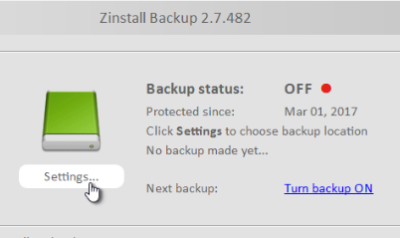
Install and Forget About It
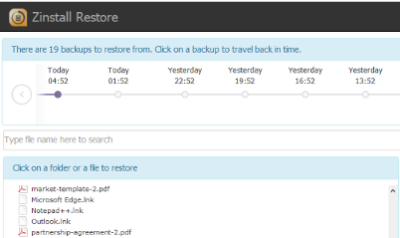
Restore Any File
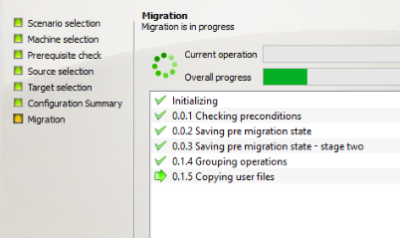
Restore Entire Computer
Choose a plan that’s right for you
Start Free Trial
Subscription
- 30 day free trial
- $69 annual payment
- Covers programs, settings, profiles and all files on your computer (total recovery)
- Use it with any USB drive, network drive or 3rd party Cloud storage (Amazon, Dropbox and others)
You’ll be asked to provide a credit card or PayPal for the trial, but we won’t charge it. If you decide to keep the product past the trial, you will be charged $69 annually.
Start Free Trial
One-Time Charge
- 30 day free trial
- $199 one-time payment – no subscriptions
- Covers programs, settings, profiles and all files on your computer (total recovery)
- Use it with any USB drive, network drive or 3rd party Cloud storage (Amazon, Dropbox and others)
You’ll be asked to provide a credit card or PayPal for the trial, but we won’t charge it. If you decide to keep the product past the trial, you will be charged $199, one time – no renewals or subscriptions.
Buy Now
FullBack
- $69 annual payment
- Covers programs, settings, profiles and all files on your computer (total recovery)
- Use it with any USB drive, network drive or 3rd party Cloud storage (Amazon, Dropbox and others)
Buy Now
FullBack Cloud
- $129 annual payment
- Covers programs, settings, profiles and all files on your computer (total recovery)
- Includes up to 1 TB Cloud storage – in addition to local backup

Questions? Need help?
Our techs will help you every step of the way, or even remotely over the Internet (as part of the Full Service option) – just contact our Premium Support. Our support team is available 24×7 by appointment.